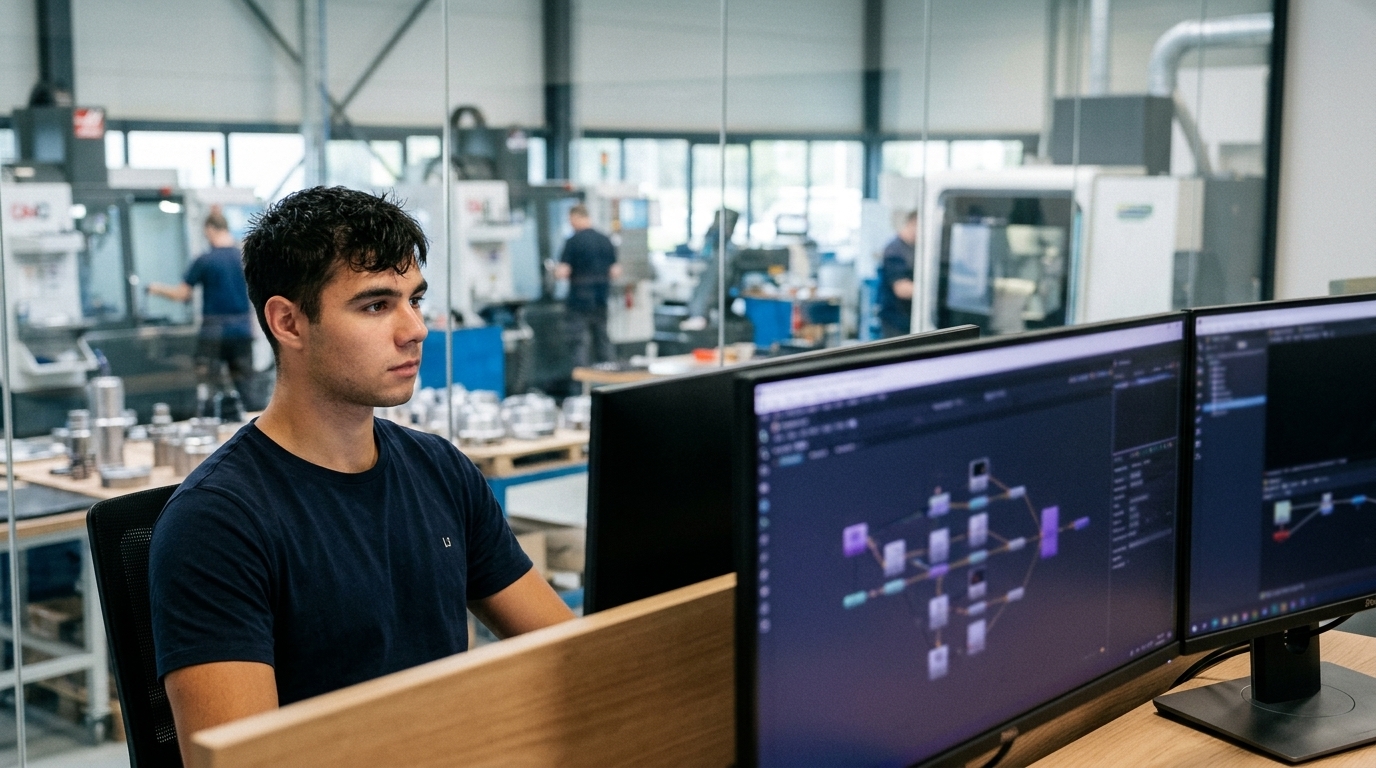
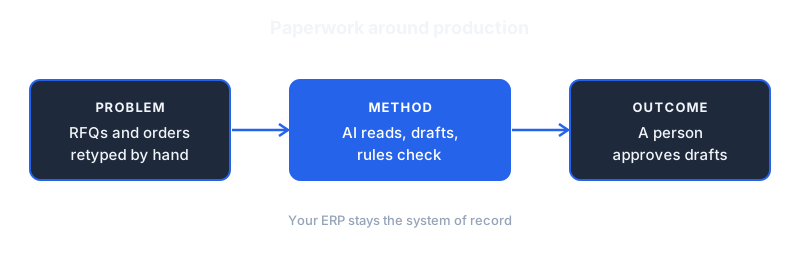
A 25-person metal fabrication shop in Brabant does not lose money on the machines. It loses money in the inbox. Quote requests wait two days for a price, purchase orders get retyped into the ERP by hand, and the weekly planning meeting starts with someone copying numbers from three spreadsheets into one.
Dominik Gabor, an AI automation consultant based in the Netherlands, works on exactly this layer. This guide covers AI automation for manufacturing SMEs: which workflows around the production floor are worth automating first, how to build them without replacing your ERP, and which decisions must stay with a person.
The scope matters, so here it is plainly. This is not about robots, vision systems or machine learning on sensor data. Those are real projects with real budgets. This guide covers the paperwork, communication and reporting that surround production, because that is where a 10 to 50 person manufacturer can see results within weeks, not quarters.
AI automation for manufacturing connects the tools a manufacturer already uses (email, ERP, spreadsheets, planning boards) and adds an AI step that reads, sorts or drafts. A workflow starts on a trigger, such as a new RFQ email, and finishes the routine work without anyone retyping data. People stay in charge of pricing, quality and safety decisions.
Key Takeaways
- Start in the back office: RFQs, purchase orders, supplier updates, non-conformance reports and weekly reporting are repetitive, text-heavy and low-risk.
- Keep your ERP: The automation reads from and writes to the systems you already run. Nothing gets replaced.
- Human sign-off stays: Prices, quality releases and anything safety-related are reviewed by a person before they leave the building.
- One workflow at a time: A single well-chosen workflow can be live in about two weeks. A plant-wide programme is a different project.
- Calculate before you build: Multiply hours spent by your loaded hourly cost. If the number is small, pick a different workflow.
Why AI Automation for Manufacturing Should Start in the Back Office
Which part of your business has the most repetitive work per employee? In most manufacturing SMEs it is not the shop floor. Operators run machines, and machines already repeat themselves. The repetition that costs you is in sales support, purchasing, planning and quality administration.
That work shares four traits. It arrives as unstructured text: emails, PDFs, scanned drawings, supplier messages. It follows a pattern a new colleague could learn in a week. It needs data moved between systems that do not talk to each other. And a mistake is caught by a person downstream, not by a machine crashing.
Those four traits describe the ideal first automation. An AI model reads the unstructured text, a workflow tool moves the data, and a person reviews the result before it counts. If you are unsure whether your business is at that point yet, the post on 7 signs your business is ready for AI automation gives a quick self-check.
Dutch manufacturers also have a structural reason to look at this. Tight labour markets around Eindhoven, Twente and the Rotterdam port area make every hour of skilled administrative time expensive to replace. Automating the routine part of a planner's or buyer's week frees that person for the work only they can do.
5 Manufacturing Workflows Worth Automating First
1. RFQ intake and quote drafting
What it does: A request for quotation arrives by email with a drawing attached. The workflow extracts the quantity, material, tolerances and delivery date, checks them against a checklist of what you can make, and drafts a reply with the open questions or a price proposal built from your own rate sheet.
Why it matters: Speed of response often decides who wins a job. The AI drafts, but the estimator still sets and approves the price. The time saved is the reading, sorting and typing, not the judgement.
Typical tool stack: n8n, an AI model, your mailbox, a shared sheet or ERP price list. Setup: roughly 1 to 2 weeks including testing on past RFQs.
2. Purchase order and order confirmation entry
What it does: Customer purchase orders arrive in a dozen layouts. The workflow reads each one, pulls out the article numbers, quantities and dates, and creates a draft order line in your ERP or a staging sheet. Anything it cannot read confidently goes to a person with the unclear field highlighted.
Why it matters: Retyping is where wrong quantities and missed delivery dates come from. A draft that a person checks in thirty seconds beats a blank form that takes five minutes.
3. Supplier updates and goods-in matching
What it does: Supplier emails about delays, price changes and shipment notices get sorted into the right purchase order. The workflow flags the orders affected and tells the planner which customer jobs may slip.
Why it matters: Most delay information already reaches you. It reaches you in an inbox, three days before anyone connects it to a job.
4. Non-conformance report triage
What it does: When an operator or inspector logs a quality issue in free text, the workflow tags it by product, process step and probable cause category, links it to similar earlier reports, and routes it to the right owner. It never closes or releases anything.
Why it matters: Patterns hide in free text. Tagged reports make a repeating problem visible in weeks instead of at the annual review.
5. Weekly production and delivery report
What it does: Every Friday the workflow pulls numbers from the ERP and planning sheets, writes a one-page summary in plain language, and highlights late orders and unusual changes. The owner reads it in two minutes instead of assembling it in two hours.
Why it matters: A report nobody has time to build is a report nobody reads. Automating the assembly makes the weekly review happen.
A Worked Example: What RFQ Automation Is Worth
Numbers make the decision concrete. The figures below are illustrative assumptions for a fictional shop, not results from a client. Replace them with your own.
- The shop receives 40 RFQs per week.
- Reading, sorting and replying with questions takes an estimator 20 minutes per RFQ before any pricing starts.
- That is 800 minutes, or about 13 hours per week.
- If the workflow handles the first pass and a person needs 6 minutes to check each draft, the time drops to 240 minutes, or 4 hours per week.
- The saving is about 9 hours per week, close to 470 hours per year.
- At a loaded cost of €50 per hour, that is roughly €23,500 per year.
Run the same calculation with your own volume and your own hourly cost. If the answer is under a few thousand euros a year, the workflow is not your first priority. If it is five figures, you have found a strong candidate. The AI automation pricing guide shows how to set that figure against what a build costs.
Notice what the example does not claim. It does not promise more won jobs, and it does not assume the estimator is replaced. It counts only time moved from low-value reading to higher-value deciding.
How to Build These Workflows Without Replacing Your ERP
Most Dutch manufacturing SMEs run an ERP that works and that nobody wants to touch. Good. The automation sits beside it.
The pattern is the same every time. A trigger starts the workflow, such as a new email in the sales inbox or a new file in a folder. An AI step reads the content and returns structured fields in a fixed format. A rules step checks those fields against your own data. A person reviews anything below a confidence threshold. The result lands as a draft in the system you already use.
For the workflow layer, n8n compared with Make is the decision most European businesses face first. For manufacturers, the ability to self-host n8n is often the deciding point, because drawings and customer data stay on infrastructure you control.
If you have never moved a process from manual to automated, follow a fixed order: document the current steps, automate the simplest one, run manual and automated side by side for a week, then switch. The workflow migration guide walks through each step.
What to Keep Human in a Manufacturing Business

Manufacturing carries consequences that a marketing agency does not. A wrong tolerance ships a wrong part. A missed safety note hurts someone. Draw the line before you build, not after the first mistake.
Keep these with a person: final pricing, quality release and certification, anything touching machine safety or CE documentation, and customer complaints with legal weight. The AI can prepare the file, summarise the history and draft the reply. A named employee decides and signs.
Data handling needs the same care. Customer drawings are often confidential. Check where your AI provider processes data, whether it trains on your inputs, and what your customer contracts say about sharing drawings with third-party tools. For the regulatory side, EU AI Act compliance for Dutch SMEs explains what applies to a business using AI tools in this way.
A 30-Day Plan for the First Workflow
- Days 1 to 5, choose: List your five most repetitive paper tasks. Estimate weekly hours for each. Pick the one with the highest hours and the lowest risk.
- Days 6 to 10, map: Write down every step as it happens today, including the exceptions. Collect 30 real examples, such as 30 past RFQs.
- Days 11 to 18, build: Build the trigger, the AI step and the draft output. Test against the 30 examples and count how many a person would accept unchanged.
- Days 19 to 25, run in parallel: Process live items both ways. Compare results daily and fix the prompt and the rules.
- Days 26 to 30, switch and measure: Go live with human review on. Record hours spent per week against your baseline.
Only after that first workflow runs reliably should you start the second. The second takes less time because the connections already exist.
Common Mistakes Manufacturers Make
- Starting with the shop floor: Sensor and vision projects are valuable, but they need data foundations most SMEs do not have yet. The back office pays back sooner.
- Automating a broken process: If two estimators price the same job differently, write down one standard first. Automation copies whatever you give it.
- Skipping the review step: Drafts need a human gate until the acceptance rate on real items is consistently high.
- Testing on clean examples: Real RFQs are messy. Test on the worst 10 you can find.
- No owner: Name one person responsible for the workflow after launch. Prompts and rules need small adjustments over time.
Frequently Asked Questions
What is the best first AI automation for a manufacturing SME?
RFQ intake and quote drafting is the best first workflow for most make-to-order manufacturers, because it is text-heavy, repetitive and reviewed by a person before anything is sent. Purchase order entry is a close second. Choose the one where your team spends the most hours today.
Do I need to replace my ERP to automate with AI?
No. A workflow tool such as n8n connects to your existing ERP, mailbox and spreadsheets, and writes drafts into them. The ERP stays the system of record, and the automation reduces retyping into it.
Is AI automation safe for confidential drawings?
It can be, if you choose the setup carefully. Self-hosting the workflow layer, using an AI provider with clear no-training terms, and checking customer contracts before sending drawings to any third party all reduce the risk. Start with workflows that use only text from emails if you are unsure.
How long does it take to automate a manufacturing workflow?
One focused workflow typically takes about two weeks to build and test, followed by a week or more of running alongside the manual process. Larger changes that touch several systems take longer.
Will AI replace planners, buyers or estimators?
The workflows in this guide remove reading and retyping, not judgement. The estimator still prices, the buyer still negotiates and the planner still decides what runs when. The gain is that these people spend their week on those decisions.
The Bottom Line
Manufacturing SMEs get the fastest return from AI automation in the paperwork around production, not on the machines. Pick one workflow, usually RFQ intake or order entry, keep a person on the approval step, and measure hours before and after.
The factory floor already repeats itself. Your inbox, your ERP entry and your Friday report are where people repeat work by hand. Start there, prove the saving on one workflow, then move to the next.
The Complete Picture
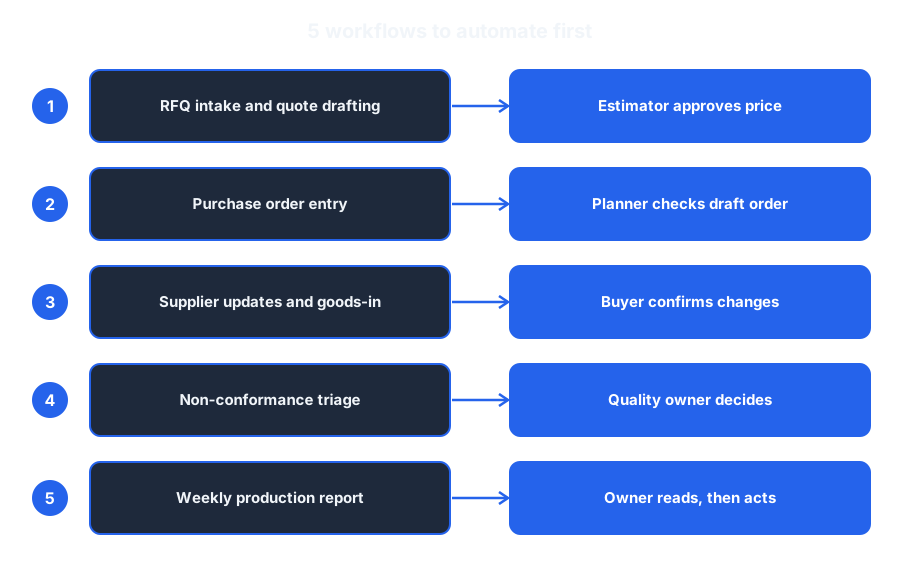
Save or share this: the five workflows in one view.
Find the first workflow worth automating in your factory
In 30 minutes we go through your quoting, order entry, purchasing and reporting, and work out which one costs you the most hours and is safe to automate first.
- Which paperwork workflow costs you the most hours
- What a first build would look like on your ERP
- A baseline you can measure against
30 minutes. No obligation. No pitch unless you ask for one.
Or grab the free resources first →
About Dominik Gabor
AI Automation Consultant based in the Netherlands. Dominik helps small and mid-size businesses implement AI automation, from order handling workflows to weekly reporting systems. He has spent 2+ years testing 27+ AI tools daily, and writes to give business owners practical starting points that most AI content skips over.