Last updated: April 30, 2026. The 4x figure is Wispr Flow's own claim including AI auto-edits. The conservative, peer-reviewed range is 2.8-3.5x. Both numbers are defended in the math table below.
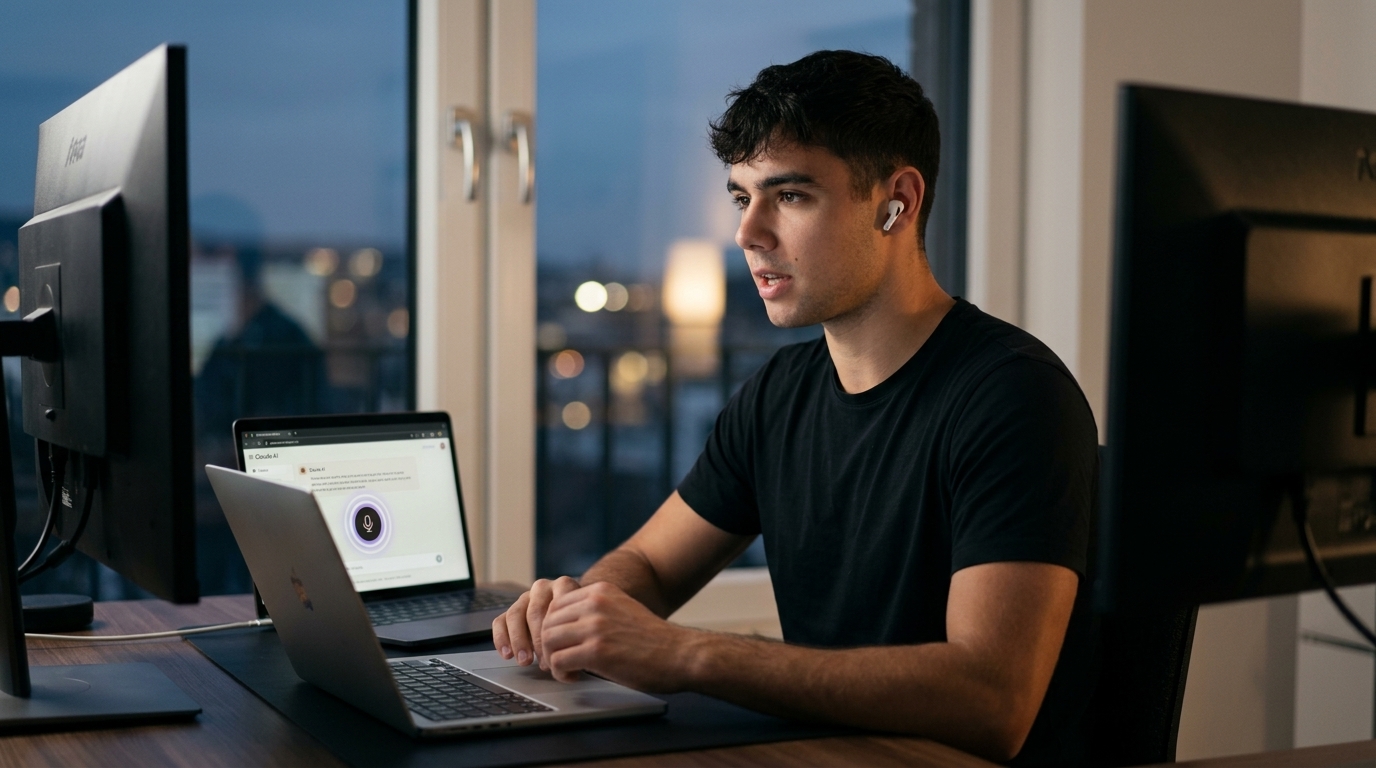
If you only install one new tool this quarter, install voice dictation. Not an agent, not n8n, not a custom GPT. Voice dictation. I install Wispr Flow on every client laptop and phone before we build anything else, because nothing else moves the productivity needle faster in week one.
If you're building any kind of personal AI workflow, install voice dictation first. Everything else is layered on top.
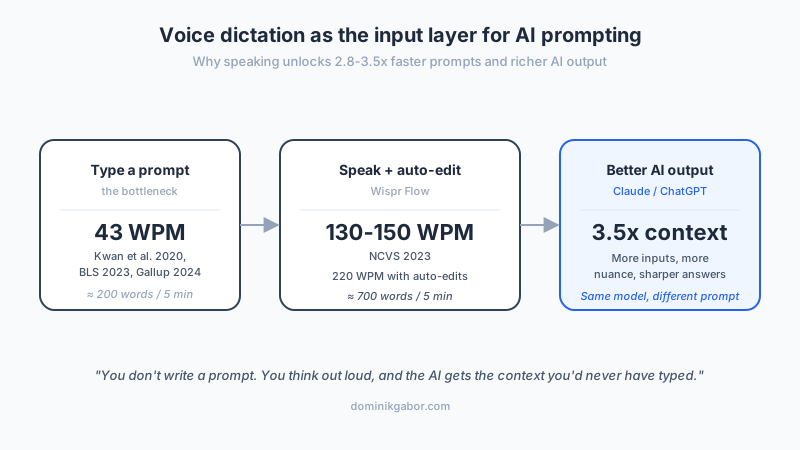
The reason is math. Knowledge workers type at 43 words per minute under cognitive load (Kwan et al. 2020, Bureau of Labor Statistics 2023, Gallup 2024). Natural speaking sits at 130-150 WPM in professional contexts (National Center for Voice and Speech 2023, NPR/BBC broadcast standard). That makes speaking 2.8-3.5x faster than typing on average. With AI auto-edits compounding the speed, Wispr Flow's own data claims a 4x effective throughput multiplier (45 WPM keyboard versus 220 WPM Flow). Even the conservative number changes how you work.
Voice dictation AI prompting is the practice of speaking your raw thoughts directly into AI tools like Claude or ChatGPT instead of typing prompts. A dictation tool transcribes and lightly edits the speech, then the AI handles the structure. The result is longer, richer, more context-loaded prompts in less time, which produces better AI output.
The Real Productivity Gap: Why Typing Can't Keep Up With Thinking
You have twenty ideas in your head. You type three before the next meeting kills the rest.
That is the hidden productivity tax most knowledge workers pay every day, and it is the reason AI tools so often disappoint. The model is fine. The prompt is too thin. You typed the 20% of context you had time for, and the AI gave you back 20% of the answer it could have produced.
The bottleneck is not your brain. It is your hands.
The bottleneck is not your brain. It's your hands.
Here is the math. The peer-reviewed numbers come from three independent sources, all from 2023 or later:
| Mode | Speed (WPM) | Source |
|---|---|---|
| Typing under cognitive load | 43 | Kwan et al. 2020, BLS 2023, Gallup 2024 |
| Pure-transcription typing | 70+ | BLS 2023 |
| Natural speaking, professional | 130-150 | NCVS 2023, NPR/BBC standard |
| Speaking with AI auto-edit (Wispr Flow claim) | 220 | Wispr Flow homepage 2026 |
Speaking is 2.8-3.5x faster than typing on its own. Wispr Flow's own number is more aggressive at 4x because their AI Auto Edits clean filler words and structure on the fly, so what would normally cost you 30 seconds of cleanup gets folded into the dictation itself. Both numbers point the same direction. Voice is the higher-throughput input channel, and the gap matters most exactly where AI tools demand the most context: long, detailed prompts.
The next question I get is always: "Why not just use Apple Dictation or ChatGPT's voice mode? Those are free." Fair question. Here is the honest comparison:
| Feature | Apple Dictation | ChatGPT voice mode | Wispr Flow |
|---|---|---|---|
| Works in any app | No (system fields only) | No (ChatGPT only) | Yes (every text input) |
| AI auto-edits filler + grammar | No | No | Yes |
| Personal dictionary (jargon, names) | No | No | Yes (custom) |
| Voice snippets (text expansion) | No | No | Yes |
| Cross-platform sync | iCloud-only | Mobile/desktop separate | Mac/Win/iOS/Android |
| Privacy mode (zero data retention) | Local | Logged | Yes (toggle) |
| Cost | Free | Bundled in $20/mo Plus | Free tier + $15/mo Pro |
Apple Dictation is fine for "remind me to buy milk." ChatGPT voice mode is fine if you only ever prompt one model in one app. The minute you want voice as your input channel everywhere (Claude, Cursor, Notion, Slack, Gmail, all in the same workflow), Wispr Flow is the only tool in the table that actually does the job.
This shift is the practical, tool-level expression of the bigger argument that managing AI agents is a skill. Procedural thinking and clear briefs are the skill. Voice dictation is the tool that lets you actually produce those briefs at the speed your brain runs.
What Is Voice Dictation AI Prompting? (And Why It's Not Just Faster Typing)
Most people hear "voice dictation" and think Apple Dictation or Google Voice Typing. Those tools exist. They are not what this post is about.
Voice dictation AI prompting is something different. You are not transcribing a letter. You are not capturing a meeting. You are feeding your raw, rambling, mid-thought context directly into an AI model, then letting the model handle the structure. The dictation tool sits between your voice and the AI, cleaning the filler, adjusting the punctuation, formatting based on the app you are in, and dropping a clean text block into Claude or ChatGPT or Cursor or Notion.
The unlock is not speed alone. The unlock is context.
You don't write a prompt. You think out loud, and the AI gets the context you'd never have typed.
When you type a prompt, you compress. You mentally pre-edit. You leave out the half-formed thought, the side context, the worry you have about the customer, the tangent that is actually load-bearing for the answer. When you speak a prompt, you do not compress, because speaking is cheap. Five minutes of speaking gives the AI 700-800 words of context. Five minutes of typing gives the AI 200 words of context. The model with 800 words of context produces materially better output than the model with 200, because models are context-hungry by design.
This is why voice dictation outperforms its own headline number. The 4x throughput is the surface-level claim. The deeper claim is that voice produces the kind of prompt the model actually wants, while typing produces the kind of prompt your tired hands can manage to finish.
Wispr Flow: The Tool I Install Before Anything Else (Now Backed by $81M)
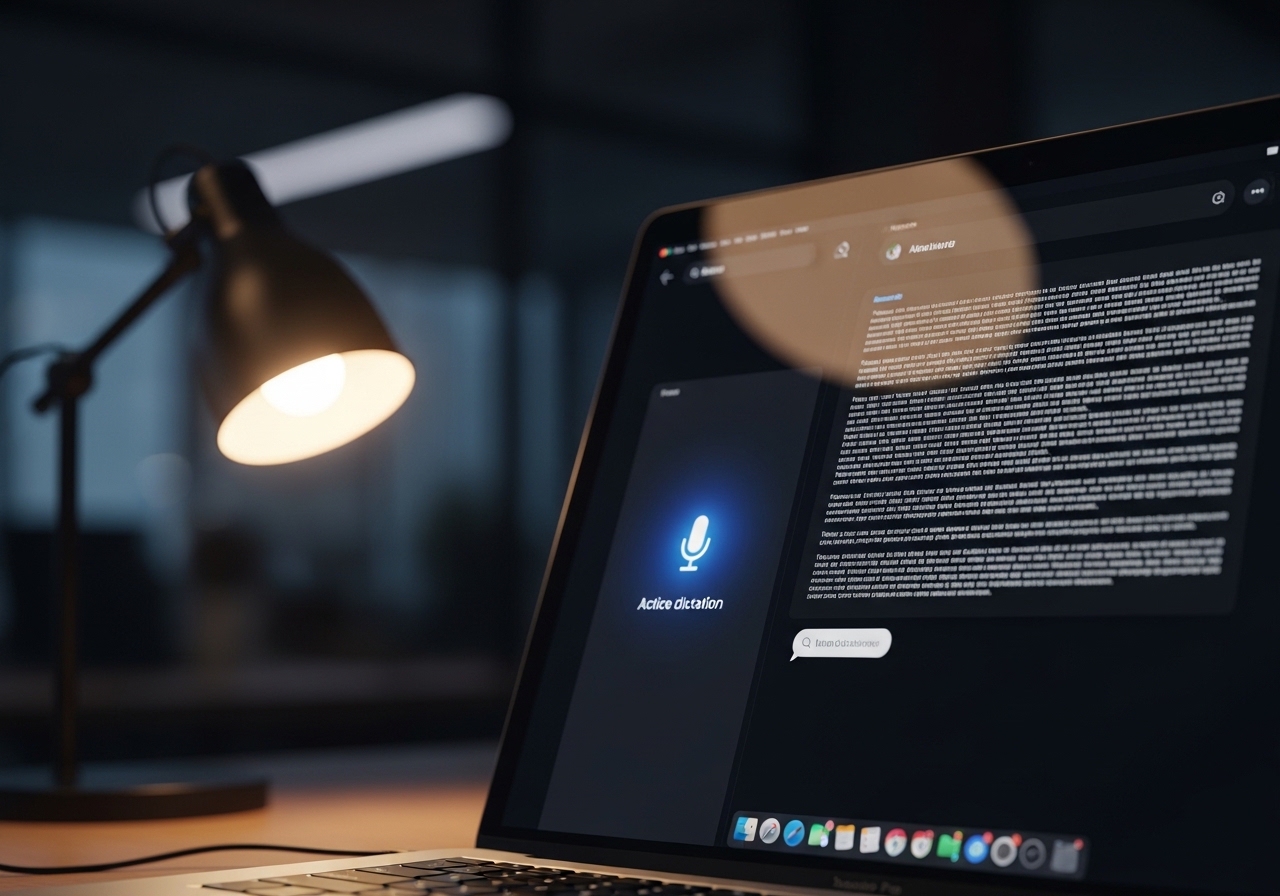
Three things make Wispr Flow the default recommendation in 2026.
First, the company is real and funded. Wispr Flow recently announced an $81 million funding round to "build the Voice OS." Customers visible on the homepage include Lovable, Mercury, Vercel, Replit, Notion, Substack, Amazon, Strava, and Nvidia. That matters because dictation is the kind of tool you become dependent on inside two weeks, and indie tools that vanish leave a real productivity hole.
Second, it actually works in every app. Wispr Flow runs natively on Mac, Windows, iPhone, and Android, with the same Personal Dictionary, Snippets, and AI Auto Edits synced across devices. It works inside Claude, ChatGPT, Perplexity, Cursor, Windsurf, VS Code, Notion, Slack, Gmail, Outlook, Linear, Figma, GitHub, iMessage, WhatsApp, and effectively any text input on the operating system. Cross-platform consistency is the difference between a tool you reach for daily and a tool you forget on the device you are not using.
Third, the pricing is honest.
| Tier | Price | What you get |
|---|---|---|
| Flow Basic | Free | 2,000 words/week on Mac/Windows, 1,000/week on iPhone, unlimited on Android, custom dictionary, snippets, 100+ languages, Privacy Mode, HIPAA-ready |
| Flow Pro | $15/mo or $144/year | Unlimited words on all platforms, command mode for editing, prioritized support, team collaboration features. Students $10/mo |
| Flow Enterprise | Custom | Everything in Pro plus dedicated support, SOC 2 Type II, ISO 27001, enforced HIPAA, enforced Privacy Mode, SSO/SAML, advanced usage dashboards, bulk discounts |
The 14-day free trial requires no credit card, which means installing it costs you nothing except 30 seconds. That ratio of upside to friction is why I do it for every client.
For Dutch and German SMEs, the language support matters. Wispr Flow handles 100+ languages, with recent transcription quality improvements for Dutch, German, French, Spanish, Portuguese, Italian, Hindi, and Thai. British English is now fully supported across all interfaces. If your team writes in mixed languages across the day, the auto-detection switches mid-sentence without intervention.
I install Wispr Flow on every client laptop before we build anything else.
The Three Use Cases That Pay for the Tool in Week One
Speed alone does not justify a $15/mo tool. The use cases below do.
Use Case 1: Brain-dumping context-rich prompts into Claude or ChatGPT.
Pick a problem on your desk. Could be a hiring decision, a client proposal angle, a refactor in your codebase. Open Claude. Hit your Wispr Flow shortcut. Speak for five minutes. Tell the model everything: the company context, the constraint nobody outside your head knows about, the political dynamic with the stakeholder, the past three things you tried, the gut feeling you cannot defend yet. Stop talking. Send. Read the response.
The output is unrecognizable from what you would have typed. Not because the model is different. Because the prompt finally has the context the model was always asking for.
I run two custom prompts every morning this way. One is a Monday Briefing routine, written up in the Claude Code routines I run daily. The other is a LinkedIn warmup. Both started as 5-minute voice dumps that I then turned into reusable Claude projects. The voice dump is what made the project's system prompt actually capture how I think.
Use Case 2: Real-life conversation capture for AI context (with consent).
This is the higher-leverage and more sensitive workflow. After a client conversation, you can dictate a 3-minute summary of what was actually said: their words, the feeling in the room, the offhand comment you do not want to lose. Feed that text to Claude with a prompt like "extract action items, summarize the key decisions, draft the follow-up email." Sixty seconds later you have outputs that would have taken thirty minutes to type up.
If you want this fully automated, the chain is: Wispr Flow captures the dictation, Claude or ChatGPT extracts structure, n8n or Make sends the action items to Notion or your CRM. That stack is exactly what the comparison in n8n vs Make 2026 covers, and the voice layer is what turns it from theoretical to daily.
Use Case 3: Meeting transcription with consent.
Meetings are a different beast. Wispr Flow is for individual dictation, not multi-speaker capture. For meeting transcription use a dedicated tool: Fathom, Otter, or Granola. The legal standard in the Netherlands is single-party consent recording, but ethical and Dutch labour-law-aligned practice is two-party consent: announce that the meeting is being transcribed before it starts. That announcement also gives the AI summary tools cleaner audio to work with.
The right pattern is hybrid. Use Fathom or Granola to capture the meeting itself. Use Wispr Flow afterwards to dictate your private context, your reading of the dynamic, the move you want to make next. The model gets both the public transcript and the private intelligence. That combination is rare and valuable.
The Honest EU Compliance Picture (And When Not to Use Wispr Flow)
This is the section most blog posts skip. Skipping it would be dishonest, especially for a Netherlands and Germany audience.
Wispr Flow is SOC 2 Type II certified, ISO 27001 certified on Enterprise, and HIPAA-ready on all plans. Privacy Mode enables Zero Data Retention, meaning dictation is not stored on Wispr's servers when enabled, and voice data is not used to train models. These are real, verifiable controls and they are stronger than what most $15/mo SaaS tools offer.
Two caveats matter for SME decision-makers in the Netherlands and Germany.
Caveat one: data residency is US, not EU. Wispr Flow processes audio in US cloud infrastructure. For most knowledge worker tasks (drafting prompts, emails, meeting notes from your own voice with Privacy Mode on), that is fine and does not breach GDPR. For workflows where you are dictating EU resident personal data into the tool, particularly in regulated sectors like healthcare records, financial data with strict residency clauses, or legal sign-offs, the US processing is a yellow flag worth raising with your DPO before deploying.
Caveat two: Wispr is currently transparent about a compliance program update in progress, including a path to a new independent audit. Their public posture is honest: they are documenting it on their blog as it happens. That is a good signal in absolute terms (they are not hiding it) and a worth-noting signal in relative terms (it means specific certifications may shift in the coming months).
For the cases where US cloud processing is the wrong answer, two local alternatives exist:
| Tool | Strengths | Best for |
|---|---|---|
| VoiceInk | Open-source, 100% local Mac processing, 99% accuracy, no data ever leaves device, one-time purchase | Privacy-first Mac users, regulated industries, anyone uncomfortable with cloud audio |
| MacWhisper | Local Mac processing, Whisper-based, simple UI | Mac-only teams who want a low-fuss local option |
| Superwhisper | Mac/iOS, 3x faster claim, no public SOC 2 or HIPAA certification | Personal use only, not enterprise |
| Aqua Voice | Cloud-based, ultra-low latency (50ms start, 450ms paste), 3.2% WER on Librispeech clean | Power users prioritizing speed for coding |
For most Dutch and German SMEs running Wispr Flow with Privacy Mode on, this is fine. For the regulated edge cases, run VoiceInk on Mac instead. The bigger context for that decision is in EU AI Act compliance for Netherlands SMEs.
How to Build Your Voice-First AI Workflow in 30 Minutes

Five steps, total cost $0 for the first 14 days.
- Install Wispr Flow's free trial. Download from wisprflow.ai. Set the keyboard shortcut to Function (Fn) on Mac or Right Alt on Windows. Enable Privacy Mode in settings.
- Add 10 entries to your Personal Dictionary. Your name, company, top 3 client names, key technical jargon you use daily, your stack (n8n, Claude, Notion, Supabase). This single step kills 80% of the transcription errors that would otherwise frustrate you out of the tool by day three.
- Set up 5 Snippets. A snippet is a voice shortcut that expands to a fixed block of text. Suggested first five: your booking link, your standard email signature, your standard "Claude project context" preamble, your standard meeting follow-up template, your standard prospect-research opener. After day one you will not know how you lived without these.
- Use it for 3 days straight in Claude, ChatGPT, or Cursor. Do not type prompts. Speak them. Force yourself through the awkwardness on day one. By day three the speed compounds and the prompt quality changes visibly.
- On day four, decide. Keep paying $15/mo or revert. In two years of recommending this exact workflow to clients, I have not had a single one revert.
Run those five steps and you have the first layer of a voice-first AI workflow. The next layer is wiring the chain (voice to Claude to n8n to systems), which is what the complete guide to AI automation for SMEs walks through.
Where Voice Dictation Falls Short (Honest Counterargument)
The post would be weaker without naming where this does not work.
Open-plan offices and shared desks. If you sit two meters from a colleague all day, the social tax of dictating is real. Most teams solve this with a quiet phone-booth room, but the friction is non-zero. Wispr does have a "whisper mode" for quiet environments, which helps but is not a full answer.
Dense formula-heavy work. LaTeX equations, complex regex, deeply nested code with specific syntax. Typing wins here. Voice is great for the surrounding prose and intent, weak for the literal symbols. The right pattern is dictate the natural-language version, then hand-edit the technical fragments.
When you do not yet know what you want to say. Typing forces clarity through latency. Speaking can encourage rambling. For first-draft thinking on a hard problem, sometimes the slower input is the better tool. The fix is to use voice for the brain-dump phase and switch to typing for the structuring phase, or use voice for both and let Claude handle the structuring.
Strong non-native English accents. Wispr Flow has improved transcription quality on Dutch, German, French, Spanish, and several others, but the gap between native English accuracy and heavy-accent English accuracy is still real. Test on your own voice for a week before committing your team.
Regulated EU workflows. Already covered above. For these, use VoiceInk locally instead of Wispr Flow.
The argument is not "voice dictation replaces typing." The argument is that voice dictation is the highest-ROI single install you can make in 2026 for AI prompting specifically. It does not need to win every category to be worth $15 a month.
The Bottom Line: Why This Is the First Tool, Not the Tenth
If you're building any kind of personal AI workflow in 2026, install voice dictation first. Wispr Flow is the cleanest path. Free trial, $15/mo, 4x productivity multiplier on prompt throughput, available everywhere you write. The tool that makes every other AI tool you use 2-3x more useful by giving the models the context they were always asking for.
Most people approach AI tools from the wrong direction. They start with the agent, the workflow, the automation, the n8n graph, and they stay frustrated for months because every step depends on a high-quality prompt and they are still typing prompts at 43 words per minute.
Reverse the order. Install the dictation layer first. Then layer on the agent, the workflow, the automation. Each one becomes 2-3x more useful overnight, because the bottleneck has finally moved from your hands to the model.
Voice dictation is the tool that makes every other AI tool you use 2-3x more useful. Skill, procedural thinking, and good briefs do the heavy lifting. Voice is the input channel that lets you actually produce those briefs at the speed your brain runs.
The tool that makes every other AI tool you use 2-3x more useful.
If you want more thinking like this, follow me on LinkedIn. One short post like this every weekday.
P.S. If you want help designing the voice-first workflow for your business specifically, including the Wispr Flow + Claude + n8n chain wired into your real systems, the Free AI Profit Assessment is 30 minutes and free.
Frequently Asked Questions
What is voice dictation AI prompting?
Voice dictation AI prompting is the practice of speaking your raw thoughts directly into AI tools like Claude or ChatGPT instead of typing prompts. The dictation tool transcribes and lightly edits the speech, then the AI handles the structure. The result is longer, richer, more context-loaded prompts in less time, which produces better AI output. The leading tool for this in 2026 is Wispr Flow.
How much faster is speaking than typing for AI prompts?
Knowledge workers type at 43 WPM under cognitive load (Kwan et al. 2020, BLS 2023, Gallup 2024). Natural speaking is 130-150 WPM in professional contexts (NCVS 2023). That makes speaking 2.8-3.5x faster than typing on average. Wispr Flow's own data claims a 4x effective throughput multiplier on its homepage, comparing 45 WPM keyboard to 220 WPM Flow output, because AI auto-edits remove the cleanup step.
Is Wispr Flow GDPR compliant for EU companies?
Wispr Flow is SOC 2 Type II certified, ISO 27001 certified on Enterprise plans, HIPAA-ready on all plans, and offers Privacy Mode with Zero Data Retention so dictation is not stored on their servers. Data is processed in US cloud, not EU. For most knowledge worker use cases this is fine. For workflows touching regulated EU resident personal data with strict residency rules, use a local-only tool like VoiceInk instead.
What's the best alternative to Wispr Flow for privacy-conscious teams?
VoiceInk is the cleanest privacy-first alternative. It's open-source, runs 100% locally on Mac (no audio leaves your device), and reaches up to 99% accuracy. The trade-off is Mac-only. MacWhisper is a similar Mac-local option. For Dutch and German SMEs handling regulated data where US cloud processing is a yellow flag, these are the right tools.
Can I use voice dictation for meeting transcription?
Voice dictation tools like Wispr Flow are designed for individual dictation, not multi-speaker meeting capture. For meetings use a dedicated tool like Fathom, Otter, or Granola. The legal standard in the Netherlands is single-party consent, but ethical and Dutch labour law practice is to inform all parties before recording. Always announce that the meeting is being transcribed before starting.
The Complete Picture
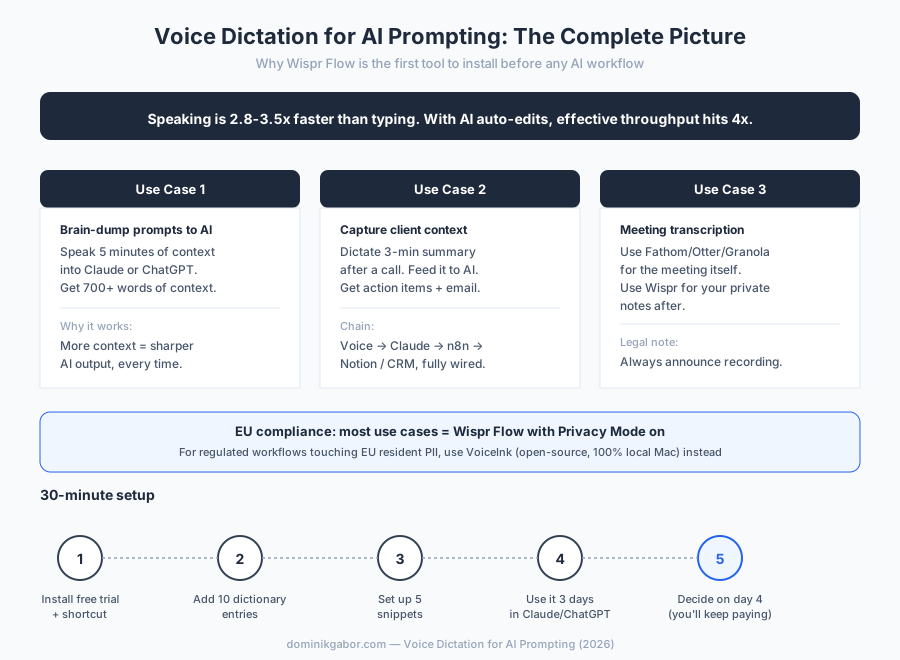
Save or share this. It's the full breakdown in one view.
Wire voice-first AI into your actual business.
30-minute Free AI Profit Assessment. Two repeatable workflows in your week, mapped to a Wispr Flow + Claude + n8n stack, with a concrete next-step plan you can act on the same week.
Book Your Free AI Profit Assessment Or browse the free AI workflow audit checklist →Share This Article
If this was useful, share it with a knowledge worker still typing prompts at 43 WPM.

About Dominik Gabor
AI Automation Consultant at TwinScale AI in Leeuwarden, the Netherlands. Dominik helps small and mid-size businesses implement AI Operating Systems, from lead response automation to strategic daily briefings. He tests 27+ AI tools daily.